All posts by Chad

Omniwriter

Omniwriter

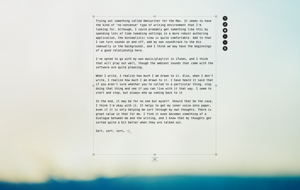
Trying out something called Omniwriter for the Mac. It seems to have the kind of “no-nonsense” type of writing environment that I’m looking for. Although, I could probably get something like this by spending lots of time tweaking settings in a more robust authoring application, the minimalistic view is quite comfortable.

Add to that I can turn sounds on and off, add my own soundtrack to the mix (manually in the background), and I think we may have the beginnings of a good relationship here. White I was writing this, I opted to go with my own music/playlist in iTunes, and I think that will play out well, though the ambient sounds that come with the software are quite pleasing.

When I write, I realize how much I am drawn to it. Also, when I don’t write, I realize how much I am drawn to it. I have heard it said that if you aren’t sure whether you’re called to a particular thing, stop doing that thing and see if you can live with it that way. I seem to start and stop, but always end up coming back to it.

In the end, it may be for no one but myself. Should that be the case, I think I’m okay with it. It helps to get my inner voice onto paper, even if it is only helping me sort through my own thoughts. There is great value in that for me. I find it even becomes something of a dialogue between me and the writing, and I know that my thoughts get sorted quite a bit better when they are talked out.

Sort, sort, sort… 🙂

DotNetNuke vs WordPress #1 – Series Intro

DotNetNuke vs WordPress Image

DotNetNuke vs. WordPress is a question that I’ve asked several times over the past few years. I’ve been using DotNetNuke since 2006, and WordPress since sometime in 2008 or 2009.

What qualifies me to write this series?

  1. I’ve used both platforms on a personal level
    — Over the years I have built websites for myself using both DNN and WordPress. The individual uses range from personal blog to self-started business or sites for friends
  2. I’ve used both platforms on a professional level
    — It’s going on several years that I have had website clients. Working as a contractor for Leapwise Media, I still deploy sites for clients using either framework, dependent on their needs.
  3. I still use both platforms on both a personal and professional level
    — In spite of the advantages of one platform over the other in some cases, I still use both, daily. I have clients and personal sites that I interact with on a daily basis, so I’m touching sites of both kinds regularly.
  4. I have purchased and used both free and professional themes/skins and modules/plugins for both platforms.
    — I have communicated with developers and designers for each platform, many of them “rock stars” in their own right.
  5. I have used professional hosting services for both platforms.
    — People hosting sites of all kinds have questions about hosting. Having used both applications in a paid hosting environment with multiple vendors gives me additional perspective.

Am I an incredible code guy? No.
Am I an amazing designer? No.
Am I a legend in either community? No.
Am I a true expert in SQL Server or MySQL or ASP.NET or PHP? No.

Here’s the key question for this series…
Am I a guy that has used these products over and over, administered sites, gotten his hands dirty with code, asked questions in public that he’s embarrassed by, and lived to tell about it all? YES

This is enough to get us started on the discussion, but I also want to leave you with the plan for this series. I’ll be taking on topical pieces to go somewhat in depth one thing at a time. The series will look something like this:

Series Links

Additional topics will probably come up along the way, and if you think of something that ought to be covered, please comment on this post.

The series is meant to be an overview of each topic, not a detailed, in-depth, line-by-line examination. Feel free to voice your opinions on each post. Speak your mind, I don’t mind! 🙂

Thanks,
Chad

Meditations on Information and Idolatry

A soft light glows in the corner. The far reaches of the room opposite the light are fully dark. Office-furniture shadows line the hotel walls. The last few words of a conversation hang in the air, now transformed into thoughts and ponderings.

The chat was easy with today’s technology. Miles don’t mean as much as they used to. It’s not easy for relationships to breathe anymore. What are thousands of miles and several state borders to someone with a smart phone? Wherever we are we have a soundtrack to our lives and a text message. It’s an all-in-one information orgy, vulgar in its over-indulgence.

It’s so normal that it doesn’t feel forbidden. Yet it is so similar to Eden’s forbidden fruit. Knowledge upon knowledge. Information upon information. Maybe it isn’t benign, after all. Are we any different than our Parents, who wanted to be like God…. KNOWING?

What is smart-phone if not a towering Babel all its own? What difference is there, really? An endless parade of apps line the pages of our mobile devices so that we can… KNOW something. We must know. We must know NOW. We need to know so badly that we interrupt precious moments between souls so we can… KNOW something.

“You will have no other gods before me.”

Is all the information we have access to really ours to have access to? Can we have it? Should we have it? Is it benign? Are we repeating the sins of our Parents by striving to know good and evil? How much do we want to know? How much do we need to know? Is the information we hold in our hand truly ours to hold?

When You Really Don’t Want To

Maybe it’s like anything else you do when you don’t want to, but somehow it feels different. If you’re committed to something, you follow through with it, right? Or at least you should. But not writing? Man, I can think of 1,249,844 reasons to just skip it. Blogs abound, news articles pour in, opinions explode from every corner of this little world… so no one will notice if I don’t! After all, there aren’t really that many people paying attention, anyway. It’s not like someone else is holding me accountable to write.

But it’s a goal this year, it’s something I want to improve upon, and it’s one of those things that I’m just going to have to grind out. Other things are more fun to grind out, though. Earlier this morning I was working on a rewrite of Come, Thou Fount of Every Blessing… that seemed like more fun. It seemed more tangible and meaningful.

For the moment, this seems like work. It even feels like a cop-out. Writing about writing is sort of like cheating, no? But I’m forcing myself to do it. Are you still reading? How much more do I have to write before you get bored and click your Stumble Upon button or head back to Facebook?

No photos, no witticisms, no profundity. Just this. When I really do want to, I’m a lot like my son. I stall. This whole post I’ve been stalling. Stall… stall… stall… schleuph!

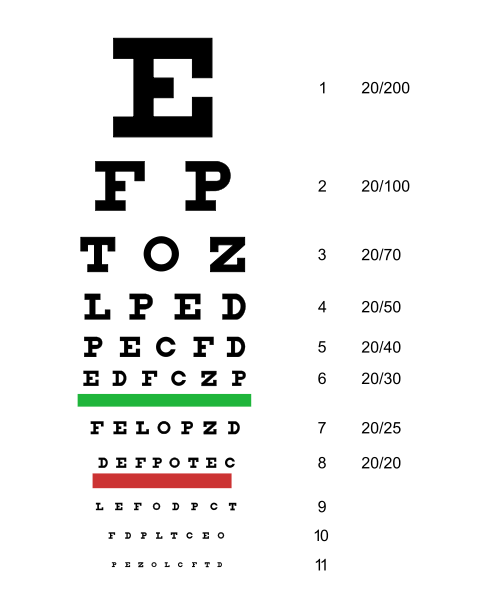
Done With Small Fonts

eyechart

So sue me. I’m done with small fonts. Maybe I’m getting older? Well, that’s for sure… I can tell by the style of clothing I wear that never changes (examines attire).

Another reason? I actually have one. I’m trying to make the blog more about the content of the blog than about all the things you can learn about me. I’m tired of visiting sites, including my own, that have a zillion things to know about the person.

Don’t get me wrong, I like an About page. If I want to know more about you, I’ll click your info page and check it out, maybe get more info on who you really are. But if you’re a blogger, a writer, someone trying to communicate, then I just want to hear what you’re saying. Quit it with all of the accolades and the links and the ads and the… oh wait, some people are doing this to make money… I digress.

You may notice the lack of a side-bar with a long list of blogs I read and things about me. I think I’m starting to care less about all of that stuff. If I visit my own site and I’m distracted by it… “Oh, I need to tweak that… oops, gotta update that link!… oh, that picture is getting old.”… and the list goes on.

So, here I present content, the substance of what I’m trying to do is front and center now.

Not only that, but it’s easy to read. 🙂

This post was composed in Windows Live Writer on a Windows 8 (EIGHT) machine.

2012 Wisdom Quest–Part 2

myles-the-wiseI’ve always thought our dog, Myles, has a wise look about him. His full name is Doctor Myles Spencer, because for some reason it seems to fit him when we got him a few years ago. He’s my official mascot for this year’s Wisdom Quest.

Recently I turned off the blog and all of my social media pages, save for Twitter, so I could clear out some mental space. I’m hoping that was a wise thing to do… just turn everything off for a while. Ever wish you could pull the plug completely and never go back? 🙂

The second part of my quest for wisdom this year involves scheduling music creation sessions. I’m not there yet with a regular schedule, but I’m taking some steps in the right direction. Sometimes I like to look back before heading forward. I’m one of those guys who uses the past to provide perspective for what might be coming. Speaking of the past, I rearranged the Music page to include all the work I did on my joint album with Jason Rekker, called Distance.

I’ve been listening to these songs, and you can, too if you like. I’ll provide download links in the not-too-distant future, as well, because I’m not holding out hope of making any money off of them. Hearing my own youth and immaturity as a writer and singer in these songs is motivation for me to push myself to do better.

Following up on my first goal for the year, having a focused approach to writing, with set goals, I’ve decided on a few things:

  1. I’m going to write at least once per week, if not more, on this blog. Many times in setting goals, I go too far and set myself up for failure. If I’m going to stick with it, I need something attainable. Ever hear of S.M.A.R.T. goals?
  2. Even if it isn’t earth-shakingly profound, I’m still going to write. I mean, isn’t that part of it? How shall I improve I do not practice? It doesn’t matter if a particular blog post isn’t going to win me the Pulitzer. That will probably never happen to me, anyway! So why waste too much time thinking about it? Just write! Right?!
  3. Reading is part of writing, so I’m going to weave these two goals together. My reading goals are now set, as well, so I intend to improve as a writer by observing the writing of others, and to write about my observations in return. These goals will assist each other.

That’s it for now! In my next Wisdom Quest post, I will be writing about my 3rd goal for 2012, establish more regular reading habits.

– Chad

Working All Day With an iPad 2

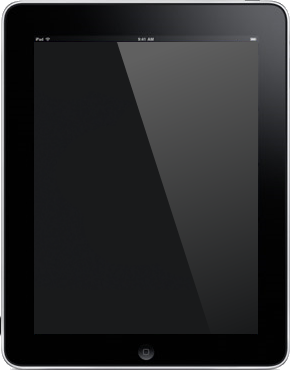
withoutpicCan you work all day using only an iPad 2? I mean, really work?

“C’mon, man, I’ve got to run spreadsheets and show presentations!”

“I have to able to send and receive all kinds of emails throughout the day.”

“There’s no way that thing can do what I can do on my computer.”

Having said those things myself, I was encouraged by my boss the other day to get an iPad 2 and “push it to the limit.” He said, “We want to be able to hire a sales force and say, ‘Here’s your iPad, now go get ‘em.’” Funny thing is, I had just asked for a MacBook Pro, as I’ve been getting used the MacBook Air that I got for free and liked many things about it. However, I need more horsepower, space, headroom for peripherals, etc. if I’m going to use a Mac notebook all day every day. So, naturally, my boss told me to get an iPad. 🙂

5I picked up a refurbished model from Newegg.com and started waiting… and thinking. How can I equip a sales force with just a tablet to get all of their work done? So, I figured if I could use it all day, and I’m an I.T. guy, then any sales guy could get by with it. I’ve got to RDP into computers, assist remote users, run real programs.

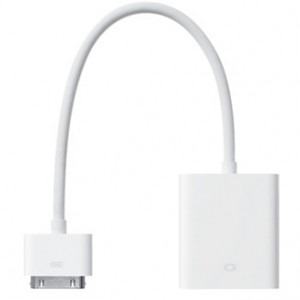
Instantly I thought about peripherals. There’s no USB support on the iPad 2, so how would I get by without a keyboard and mouse? Thankfully, there is Bluetooth support, so I ran to the store and grabbed a Kensington Keyfolio. Then I thought about the screen size, and how well would I do with the iPad screen for an entire day. Also, what if I needed to share a presentation with someone to either a projector or TV? I also picked up 2 adapters, one for VGA output to connect to any VGA device (usually a monitor or projector) and I got the HDMI adapter. The HDMI adapter is cool because it will carry audio as well as video, so you could stream a video of some kind to screen and pick up the audio.
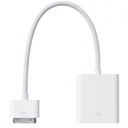
ipad-dock-to-vga-adapterPeripherals in hand, I continued thinking about apps and connectivity to the office. What if I did need to run Power Point or Excel? What if I really had to get to a Windows PC for something? Most of our users, if not all, rely on their Windows PC’s to get work done every day. Whether you’re PC or a Mac doesn’t really matter, this is our reality. That’s where our decision last year to deploy a new SAN comes into play.

When we implemented virtualization in our data center, we included Citrix XenDesktop to support folks in our California and Mexico offices. It’s a great concept whereby a user can connect to our website and spin up a virtual machine running all of his/her office applications. Citrix Receiver is free for iPad, so as long as the user has a user account on our network, they can get in and run Microsoft and other Windows specific applications. This means they can plug in to our ERP system, enter transactions, update files and more. All the while, the data remains safe and secure in our data center.

I figured there would have to be some 3rd party applications to purchase and download via the App Store, as well. There are some very useful applications, most of them included in iOS 5 or free from the App Store. I’ll get to those in a bit.
iphone-battery-iconCan it be done, though? Can it really be done? With everything ready to go, I set about to work the entire day at the office using only the iPad 2. I came in, connected the VGA adapter to my monitor, propped up the folio style case, and powered up. Now right there we have 2 things to note:

  1. The VGA output and it’s potential added strain on the iPad’s battery
  2. The Bluetooth connected keyboard and it’s battery drain on the iPad

The day began with me having approx. 75% battery life in the iPad. I hadn’t charged it all night, just during the car ride up to the office, so I didn’t have time to get things to 100% before the day got going. No matter, it was part of the experiment. But by the time I got to 2 p.m., the battery was down to 30%. This would not be the case on a typical day for Sales Guy, though. Not only was I using WIFI like crazy, had a monitor and keyboard attached, but I also bought a bunch of apps from the App Store, ran my existing applications into the ground, remote controlled computers, used my XenDesktop, and more.

I’d say that if I had 100% battery to start the day and only used the iPad for email and basic office connectivity, I could have run the whole day. As it is, my battery would have been closer to 55%, since I started the day off behind. That would have been plenty to get me through the day, even had I continued using only the iPad.

打印What if I had just an iPad, no accessories?

For most people, it could be done. The iPad has so much native connectivity, as well as access to the App Store for specialties, that you really could do most everything with it. If you’re a specialist, a tablet is probably not the way you want to go for your work, anyway, but if Sales Guy had his iPad with the right apps, he’d be fine.

How could you be okay though? Just an iPad? Really? Think about these items:

  • It’s 2012 – We have the cloud, we have mobile connectivity (3G data plan w/iPad), we have advanced apps
  • Out of the box, iPad connects to Gmail, Exchange, and more – booya
  • Apps like QuickOffice Pro HD and Keynote, Numbers, Pages, Salesforce Mobile Dashboards, Evernote and others allow you to connect to your cloud file repository provider (Dropbox, Skydrive, etc.)
  • What do most business people really have to do besides send emails and view some files? I mean, really.
  • Getting by with less computing power actually simplifies things, so you can focus on what you’re good at… which probably isn’t computing. 🙂 Go sell.

I will say that if you are going to do serious work on an iPad, you probably need to make sure to get a Bluetooth keyboard. At the very least, if you’ve got lots of typing to do, the iPad is a pain in the neck to use for an extensive day of working the touch screen keyboard!

There’s a world of other stuff waiting to be discovered out there, but this is what I’ve learned so far. The iPad 2 is an amazing device, and when properly equipped (and charged!), even an I.T. guy can use it for a full day of work at the office. Let me know if you know of any must-have apps or peripherals!

2012 Wisdom Quest–Part 1

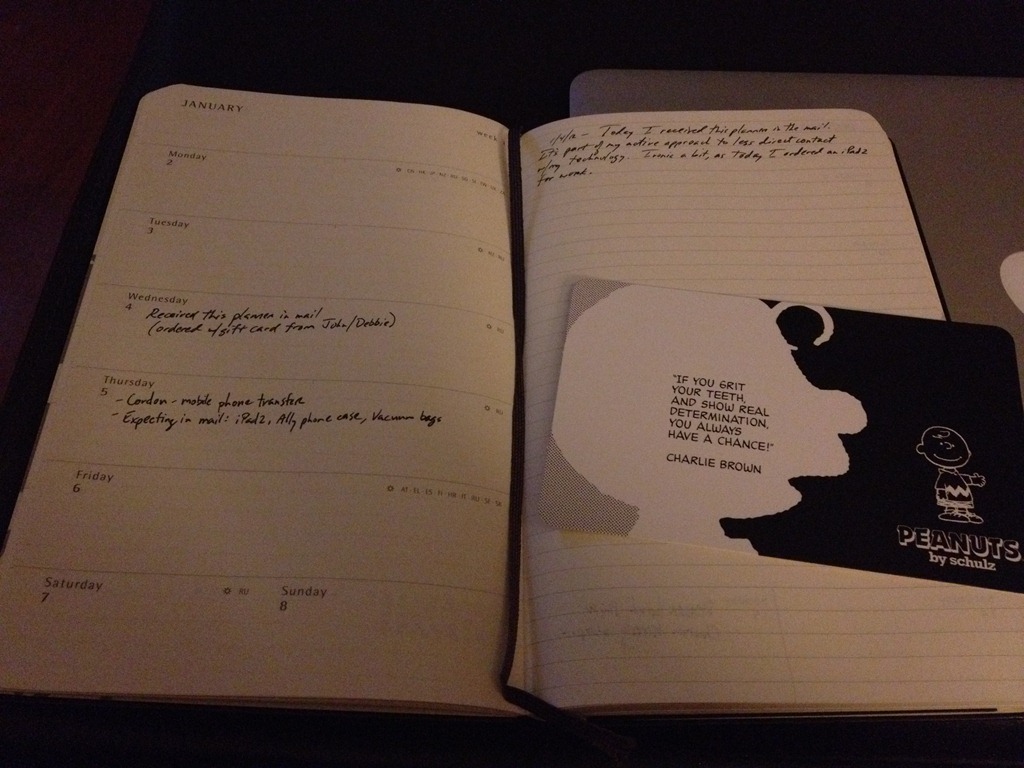
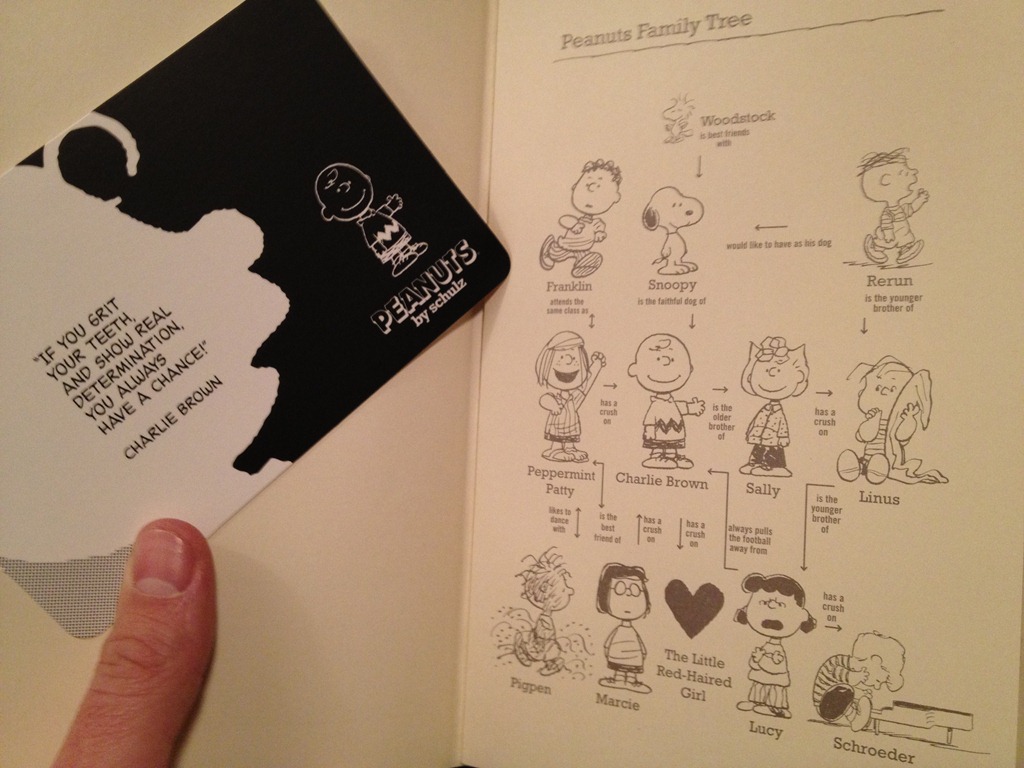
IMG_0567Following up on my last post, Thoughts on 2012, I planned to write a post on each of my four focus areas for the year. Under a banner of seeking wisdom and understanding, I plan to write, create music, read more consistently, and accomplish professional development. In order, this post will be part 1 of 4 of my “Wisdom Quest.”

Today I received some goodies in the mail. My father-in-law and his wife were kind enough to give me Amazon gift cards for my birthday (12/01) and Christmas. Using them I purchased, among other things, a Moleskine planner, one from their exclusive Peanuts line.

The idea of reverting to a paper planner is something my friends might think is a bit odd for me. I am, after all, an I.T. guy! But I find this theme of writing continues to crop up in my life. As I considered my New Year’s goals, I initially wrote that I would have less involvement with technology. Then I realized that it wasn’t technology I needed to pull back from… it was the manner in which I consumed data.

IMG_0569Over dinner the other night, I talked with my friend, Jon, about all of the data streams in our lives. We can get data in so many easy ways. It’s in the newspaper, on the web, our computers, our phones, billboards, screens at the mall, our email, our TV’s, our tablets, and more. And within each device there are thousands of separate data streams available to us!

The problem isn’t in the availability of data, it’s in how we receive and process that information. And it got me to thinking about parenting, too. I don’t want to just impart data to my son. He can get that anywhere! Anyone (or anything) can provide data to him, but my role is to bestow understanding.

How does writing come into this big picture for me? Writing in my journal or planner, or even short pieces like this, cause me to slow down and think. If I take some time to slow down, to turn off all the data sources for a period of time, it gives me moments of reflection, a necessary break from rushing streams of information.

IMG_0566Taking a calendar and looking through it reminds me how long a month is, a week, a day, and I see how they work together to form the structure of my life. It takes my eyes away from the screen, and it becomes something in my hands to touch, to remember, to remind me of the natural flow of things. I’m very much looking forward to using my new planner to help me walk in wisdom through my life this year. Too often my life has been more about taking in data, rather that dealing with it wisely. Thankfully, God provides me wisdom when I ask:

If any of you lacks wisdom, you should ask God, who gives generously to all without finding fault, and it will be given to you. (James 1:5)

Do you think writing and setting goals for your writing is a good way to slow down and add wisdom to your life?